A 144 Hz monitor running at 60
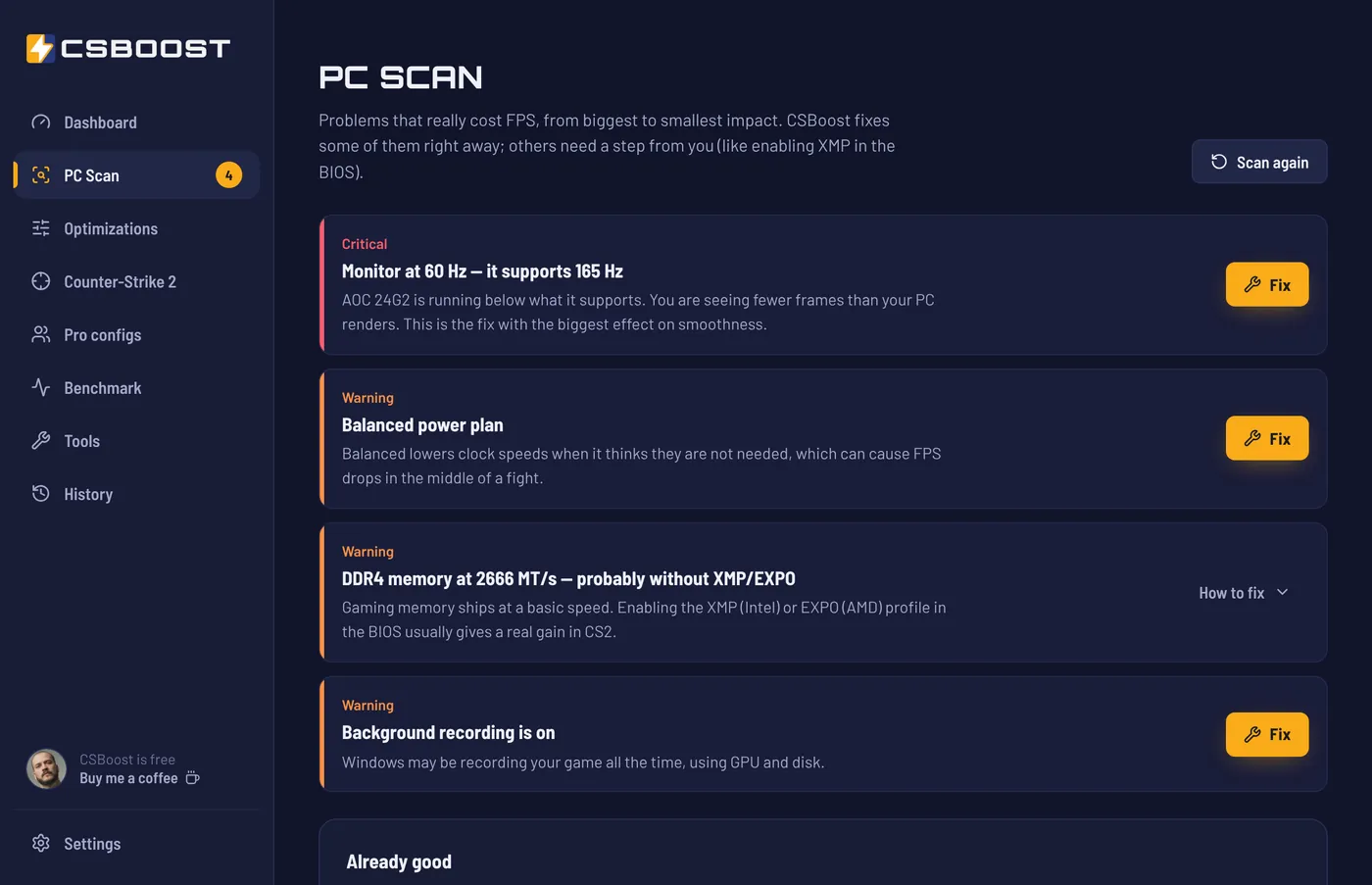
Windows does not always use your monitor's maximum refresh rate. You paid for a fast monitor and play seeing fewer frames.
CSBoost scans Windows, shows what is holding back your performance and fixes it in one click. Every tweak keeps the previous value and can be undone.

Restore point before any tweak
Never opens the CS2 process
These are cases the PC Scan finds often. None of them shows up on screen until someone goes looking.
Windows does not always use your monitor's maximum refresh rate. You paid for a fast monitor and play seeing fewer frames.
On laptops with two graphics cards, CS2 can open on the weaker one. The FPS difference is usually big.
It lowers the processor clock when it thinks it is not needed, and the drops show up right in the middle of a fight.
Xbox Game Bar can keep recording the last minutes of gameplay all the time, using GPU and disk.
Nothing is hidden. You see what each tweak does before applying it and check afterwards that it is still there.
Checks monitor, power, graphics card, memory and Windows, and sorts problems from biggest to smallest impact.
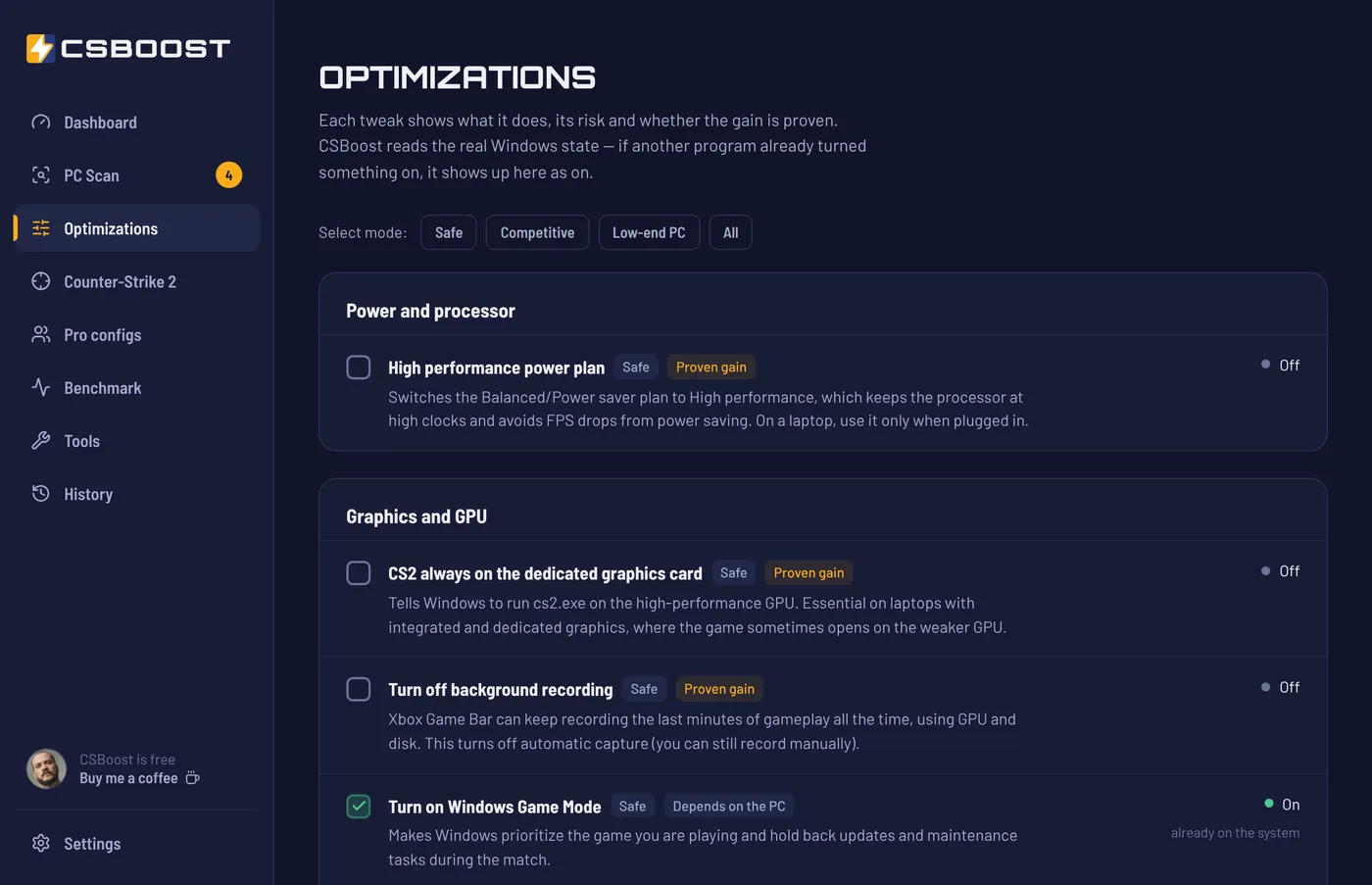
Safe, Competitive or Low-end PC. Each tweak shows what it does, its risk and whether the gain is proven.
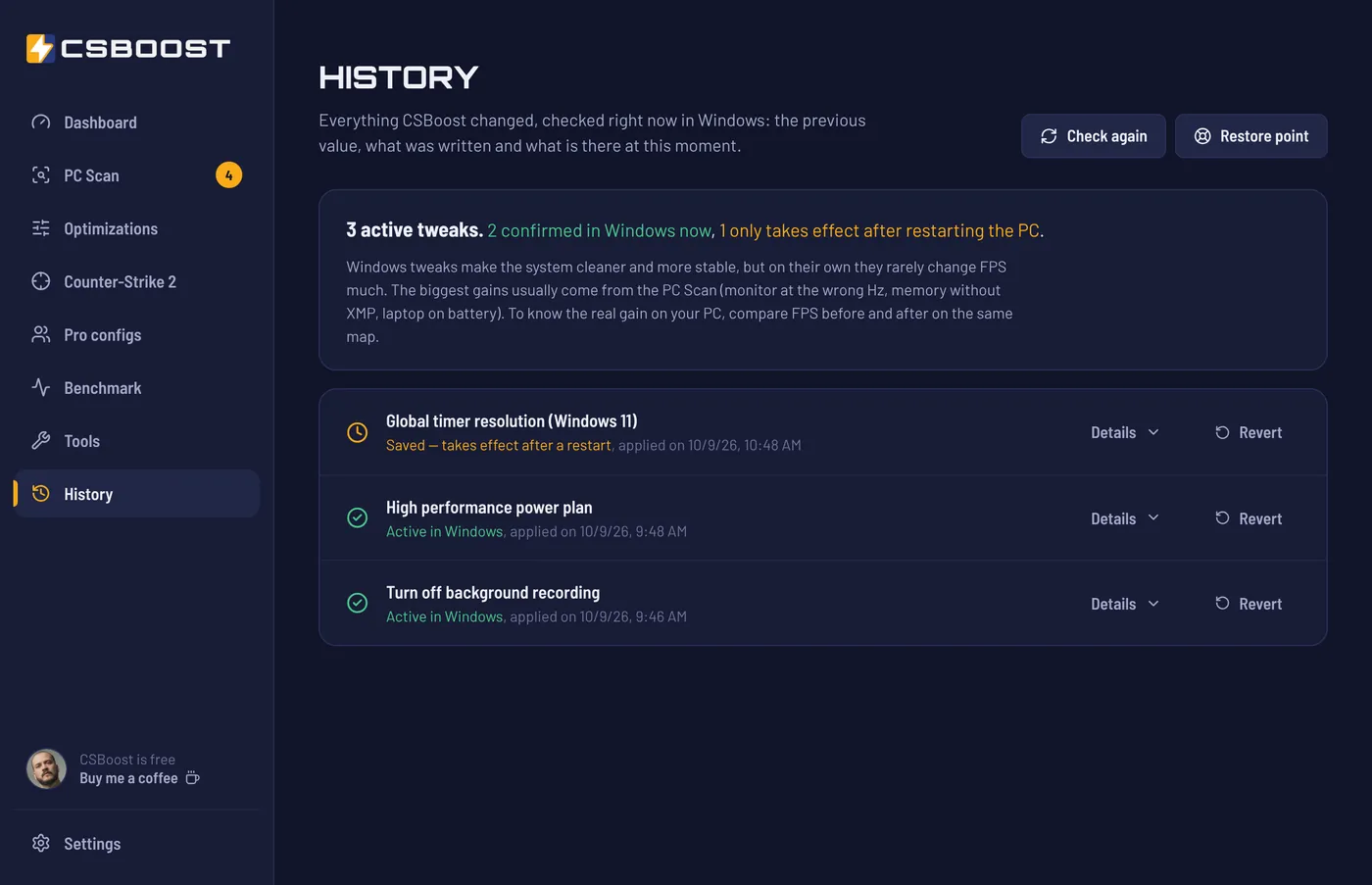
Before changing anything, CSBoost creates a Windows restore point and saves the previous value of every tweak. In History, each one has a Revert button.
The benchmark measures average FPS, 1% lows and stutters while you actually play. If it did not improve, you undo it.
 Sample data
CSBoost changes Windows and the config files you could edit yourself. The game, never.
autoexec.cfg only when you ask.cs2.exe..cfg.-allow_third_party_software, which turns off Trusted Mode.This rule is locked into the code: the build fails if any process-access function shows up. The code is open for anyone to check on GitHub.
From FalleN to ZywOo, with the source and check date for every player.

No paid version, no ads and no optimization quota.
Average FPS, 1% low, 0.1% low and stutters, with a before/after chart and a ready-to-share image.
Shows the previous value, what was written and what is in Windows now. If an update undid something, you see it.
Temp files, crash reports and, if you want, shader caches. Shows how much it will free before deleting.
Measures your mouse's real polling rate and warns you if it is at 125 Hz.
New versions arrive signed and install without losing your tweaks.
When uninstalling, CSBoost offers to undo all tweaks before it goes.
Windows tweaks, each one reversible
checked pro configs
installer, light on your PC
no ads, no subscription
What players said after running CSBoost on their own PC.
Bro, mine was at 54 out of 100, lol. Now it's great: 100. I think it was running on the integrated GPU, even though I have an 8 GB RTX 5060.
It was already at 88, but now it's spot on. Awesome, man.
Just downloaded it and I'm already using it. This is going places, bro.
Just found it. You're a hero, thanks!
Man, just saw this. Pretty amazing!
Real comments on the launch post in a Brazilian CS2 Facebook group (translated from Portuguese). The score is CSBoost's dashboard score, from 0 to 100.
CSBoost was built around that rule. It does not open the game process, injects nothing and does not change CS2 files other than the autoexec.cfg you ask it to save. The tweaks are Windows settings, the same ones you would change by hand in Control Panel.
The code is open, so anyone can check what it does.
The installer does not have a code signing certificate yet; it is on the way. A new, unsigned program that asks for admin rights often triggers SmartScreen and some antivirus heuristics.
Every version has its SHA256 published and a VirusTotal report with dozens of antivirus engines: see the report for the current version.
It depends on what is wrong with your PC. On an already well-tuned PC, the gain is small. With the monitor at 60 Hz or a laptop on the integrated GPU, the difference is big.
That is why the benchmark exists: measure before, optimize and measure again on the same map.
In History, every tweak has a Revert button that restores the previous value. You can undo everything at once, and the uninstaller offers it too.
Yes. One tweak makes CS2 always use the dedicated graphics card, and tweaks that use more battery come with a warning.
Yes. No ads, no limits and no paid version. If you want to support the project, there is Buy me a coffee.
The Windows tweaks apply to any game. The specific parts, like pro configs, autoexec and the benchmark, are for CS2.
It takes a minute. If you don't like it, undo everything.
v0.5.0 · 2.9 MB VirusTotal report Code on GitHub Code signing policy
SHA256 c7e82988766a8b5fca9ffba66e23a8da35d847800f201a5fd90c77bd0c3e82f2
Code signing: free code signing provided by SignPath.io, certificate by SignPath Foundation (being rolled out; signed versions are noted in each release's notes).